Caliber Cheats Guides
How Caliber ESP and Radar Improve Tactical Awareness
Caliber firefights collapse when teams lose track of flanks. ESP overlays and a clean 2D radar help you see threats earlier without staring at the minimap — so you can hold angles with confidence on Windows PC.
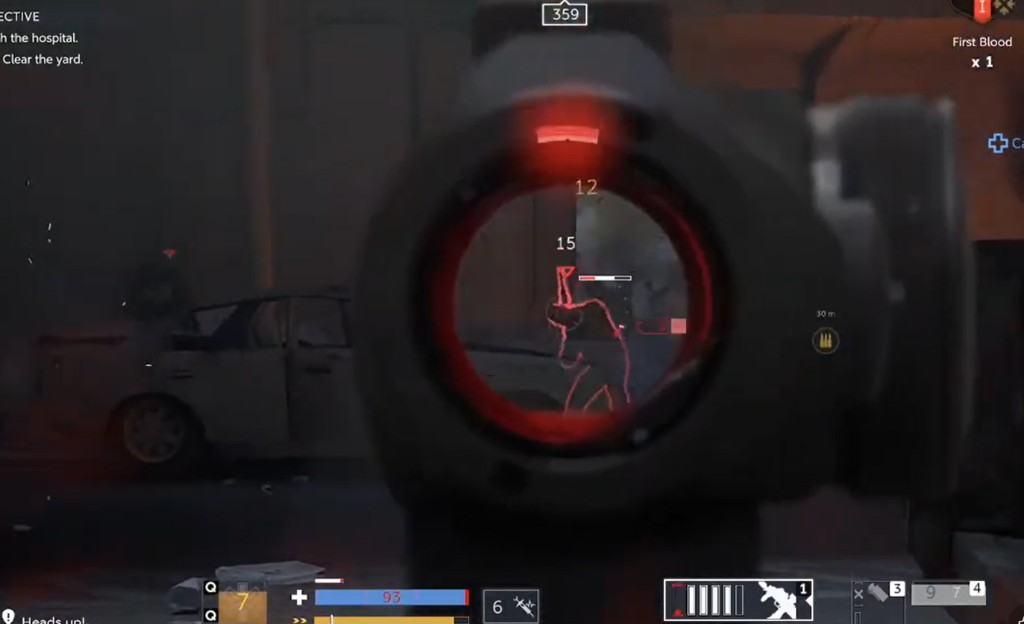
What Caliber ESP shows in a match
ESP answers two questions fast: who is near you, and what is worth checking. Player boxes show distance and direction. Loot and objective markers help you skip empty rooms.
Full feature breakdown lives on Caliber ESP and wallhack. Toggle categories so your screen stays readable during pushes.
Using radar with ESP
A 2D radar catches flanks outside your view. Pair it with ESP so you are not staring at the minimap during trades. See radar for range and filter settings.
During heals or revives, radar tells you if someone is wrapping. That is when most teams die — not during the first peek.
Keep overlays clean
Turn off loot pins during final fights. Turn off player boxes when you are holding a known angle. Noisy overlays create hesitation.
After every patch, check Updates before you queue with the same profile.